
See, change, or cancel a booking
Check your bookings, and cancel one if your plans change.
All your bookings are on My Account. You can see the details and cancel online. To change a booking, call us or cancel and book again.
See your bookings
- Log in. On My Account, scroll to Upcoming. Past visits are under History.
- Each row shows the Dates, Service, Dogs, Status, and Total.
- Press the dates to open a booking.
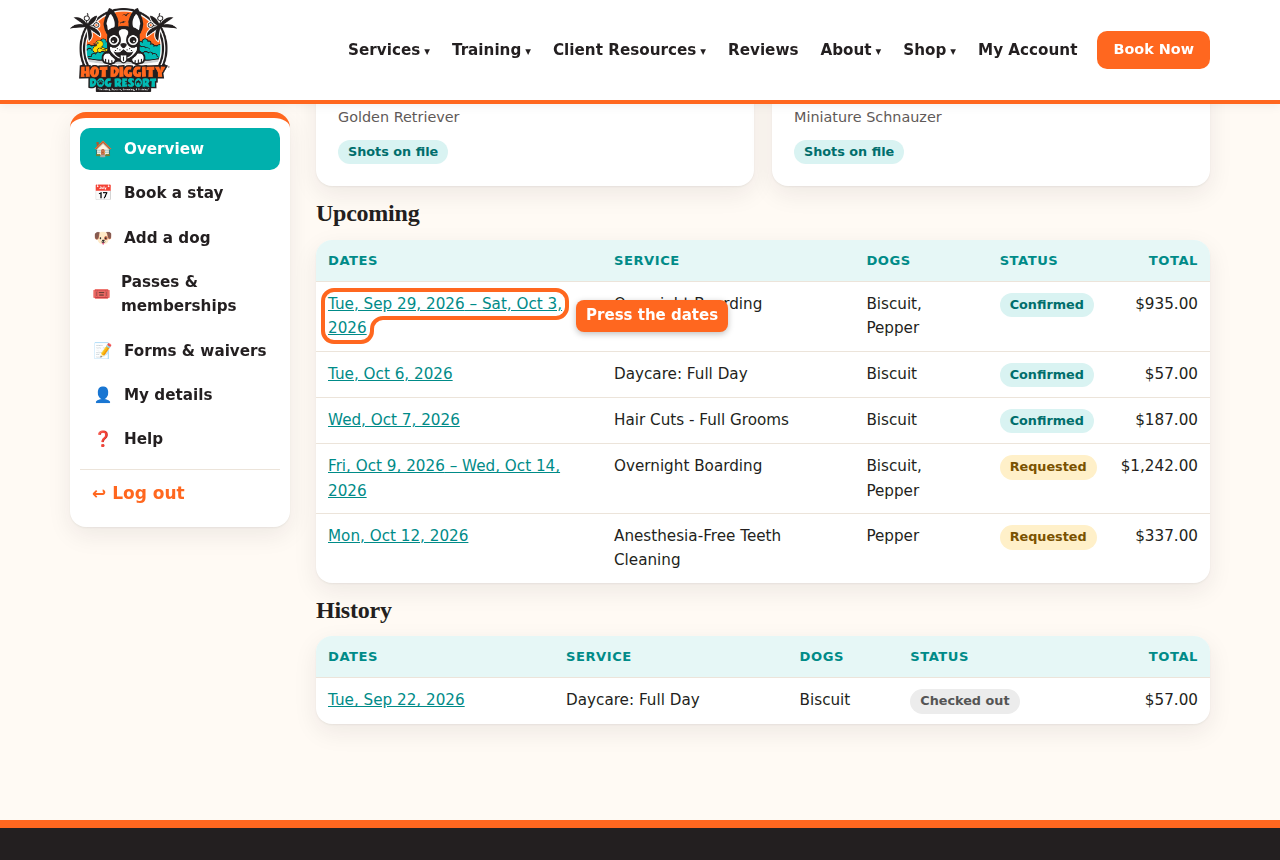
The Upcoming list with the dates circled - You see all the details. The Status is at the top.
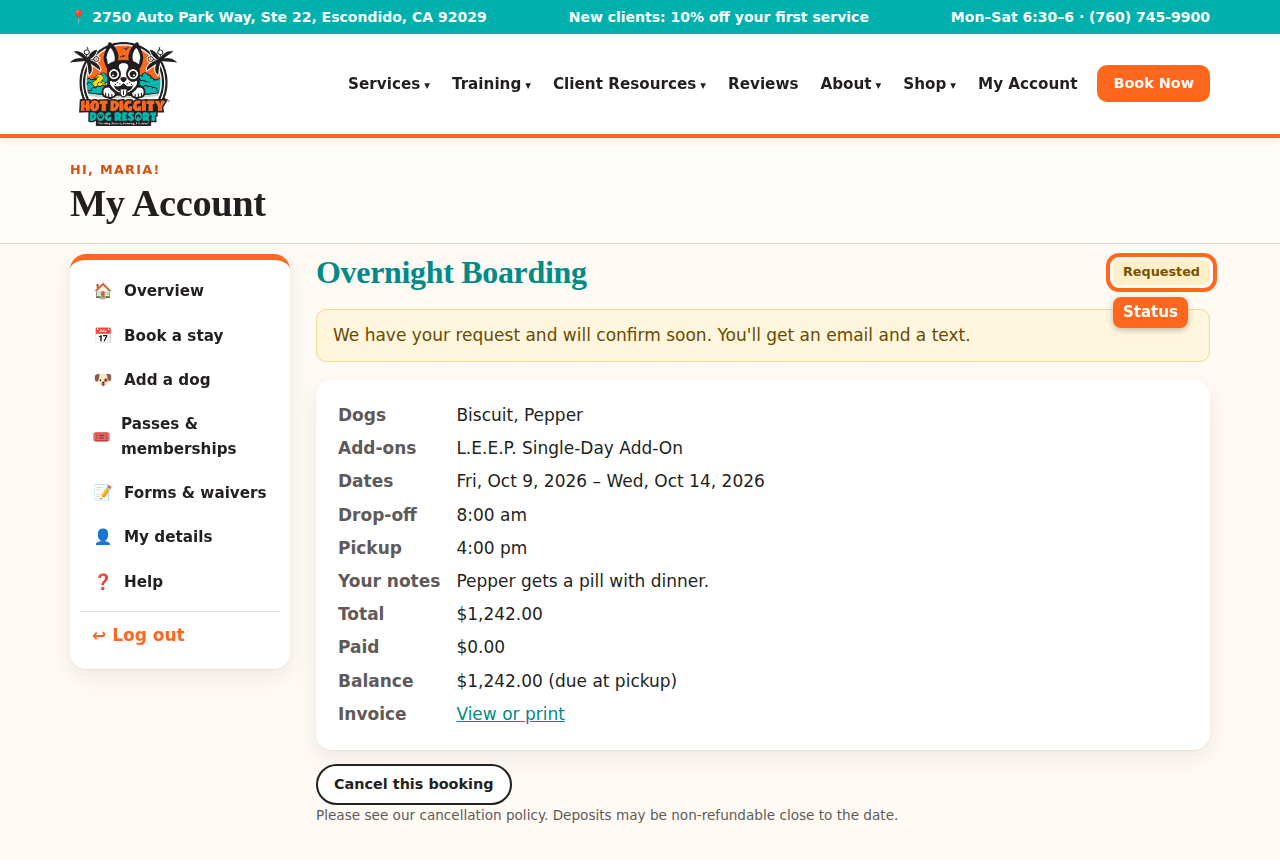
A booking page with its status
What the status means
- Requested: we have your request. It is not booked yet. We confirm soon.
- Confirmed: you are booked.
- Checked in: your dog is here with us now.
- Checked out: the visit is done.
- Cancelled: the booking is off.
- Declined: we could not fit you in. Please call us to find another day.
Tip: After a daycare or boarding day, look for Report cards on the booking page. They tell you how your dog's day went.
Cancel a booking
- Open the booking.
- Scroll down. Press Cancel this booking.
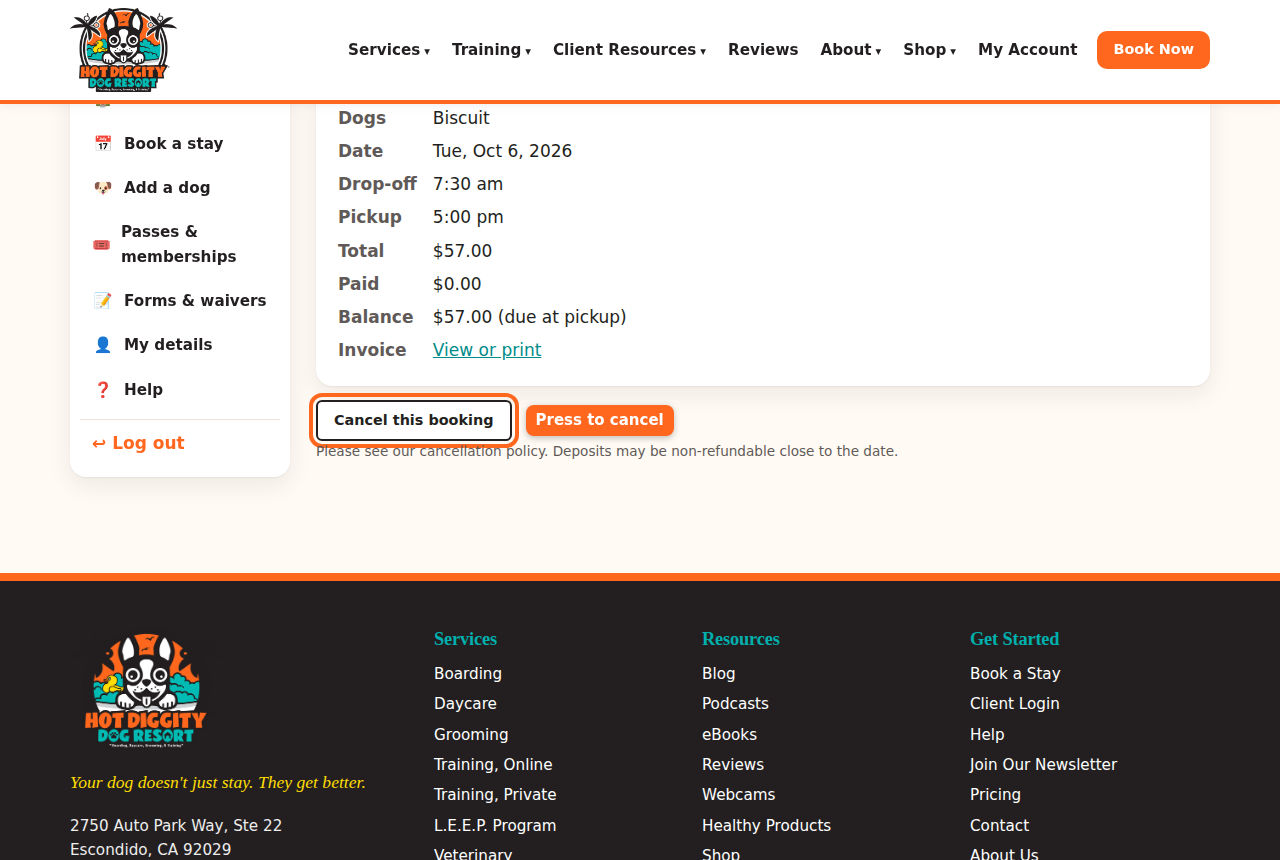
The Cancel this booking button - You see "Your booking is cancelled." The status now says Cancelled.
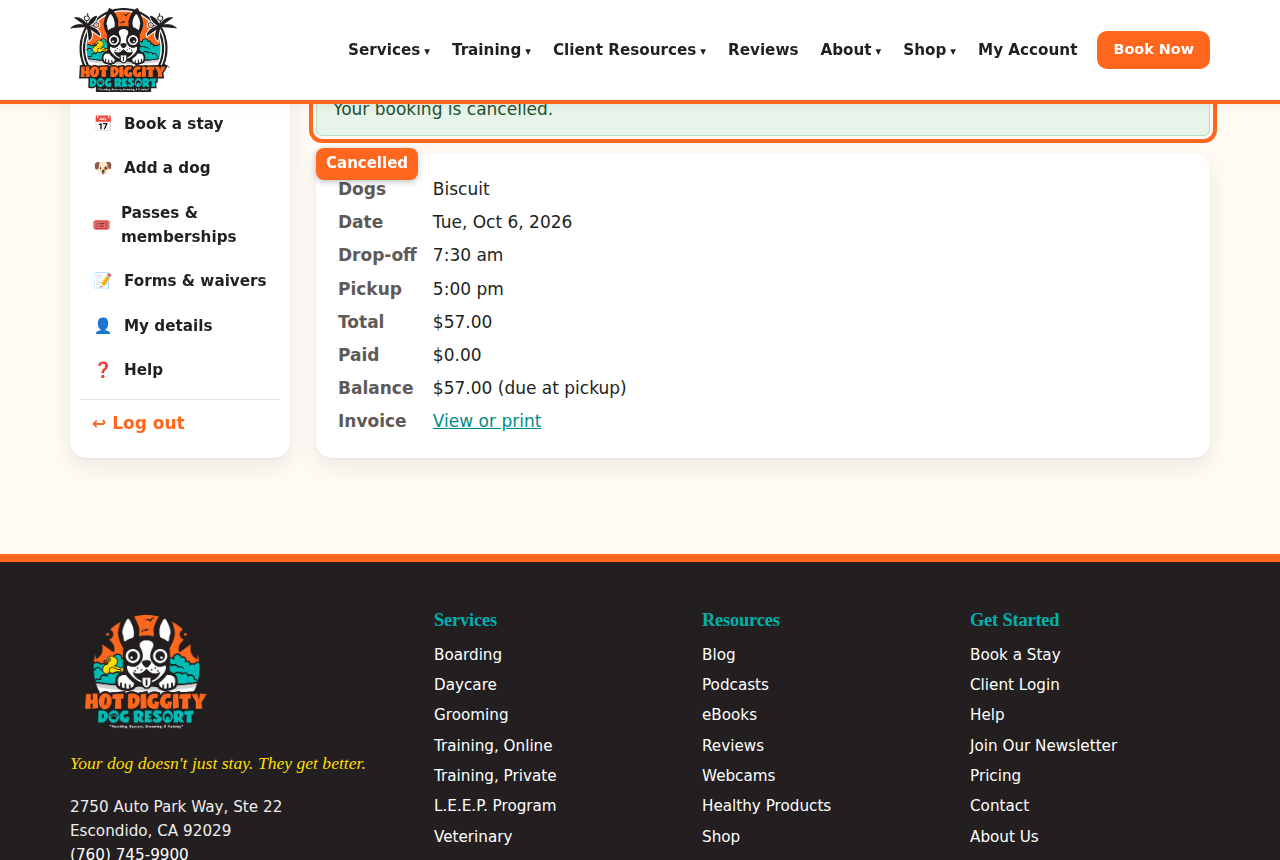
The message that says the booking is cancelled Good to know: Please cancel at least 48 hours before a boarding stay. Please cancel at least 24 hours before grooming and everything else. Holidays may need more notice.Good to know: Cancel in time and we refund what you paid. Late cancels and no-shows are not refunded. They may have a fee. Deposits may not be refunded close to the date.Good to know: Too close to the date? The cancel button goes away. You see a note that says to call us. Call us at (760) 745-9900.Tip: Once your dog is checked in, you can't cancel online. Please call us.
Change a booking
There is no change button yet. Here is what to do:
- Call us at (760) 745-9900. We can change it for you.
- Or cancel the booking, and then book the new dates. Mind the cancel rules above.Stuck? Call us at (760) 745-9900.